Up to 120 Hz
I went through lists, the keyboard and streaming replies frame by frame until they stopped stuttering. The top bar now morphs between pages and follows your finger when you swipe back.
 Vory
Vory
Public beta 1.5 · iPhone, iPad and Mac
I built Vory so I could talk to my Hermes agents from my phone, iPad and Mac. Each agent shows up as a little bot you can chat with, and it all runs through a gateway you host yourself.
One TestFlight beta covers all three. There's no account and nothing in between you and your gateway. The code is on GitHub.
New in 1.5
I spent most of this release on how Vory feels. Scrolling and replies run at up to 120 Hz now, and it barely touches the battery when you're not using it.
I went through lists, the keyboard and streaming replies frame by frame until they stopped stuttering. The top bar now morphs between pages and follows your finger when you swipe back.
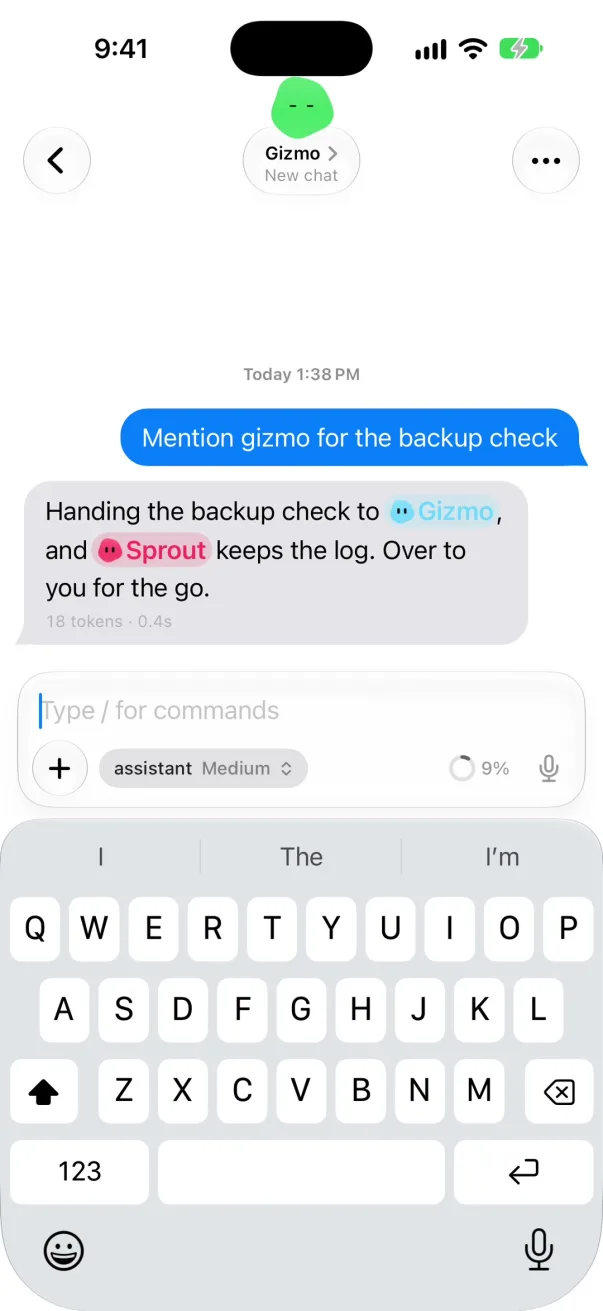
A bot shows its mood while it works and closes its eyes when it's done. Only working bots move, so they don't cost you battery. Tap one and it reacts.
The message bar is a card now. Attachments and the “/” and “@” lists open right inside it, and a little ring shows how full the chat’s context is. New Message uses it too.
On the Mac, Settings sitting idle went from 23% CPU to 0.16%. Idle screens are near zero on the iPhone too, and Vory does a lot less in the background.
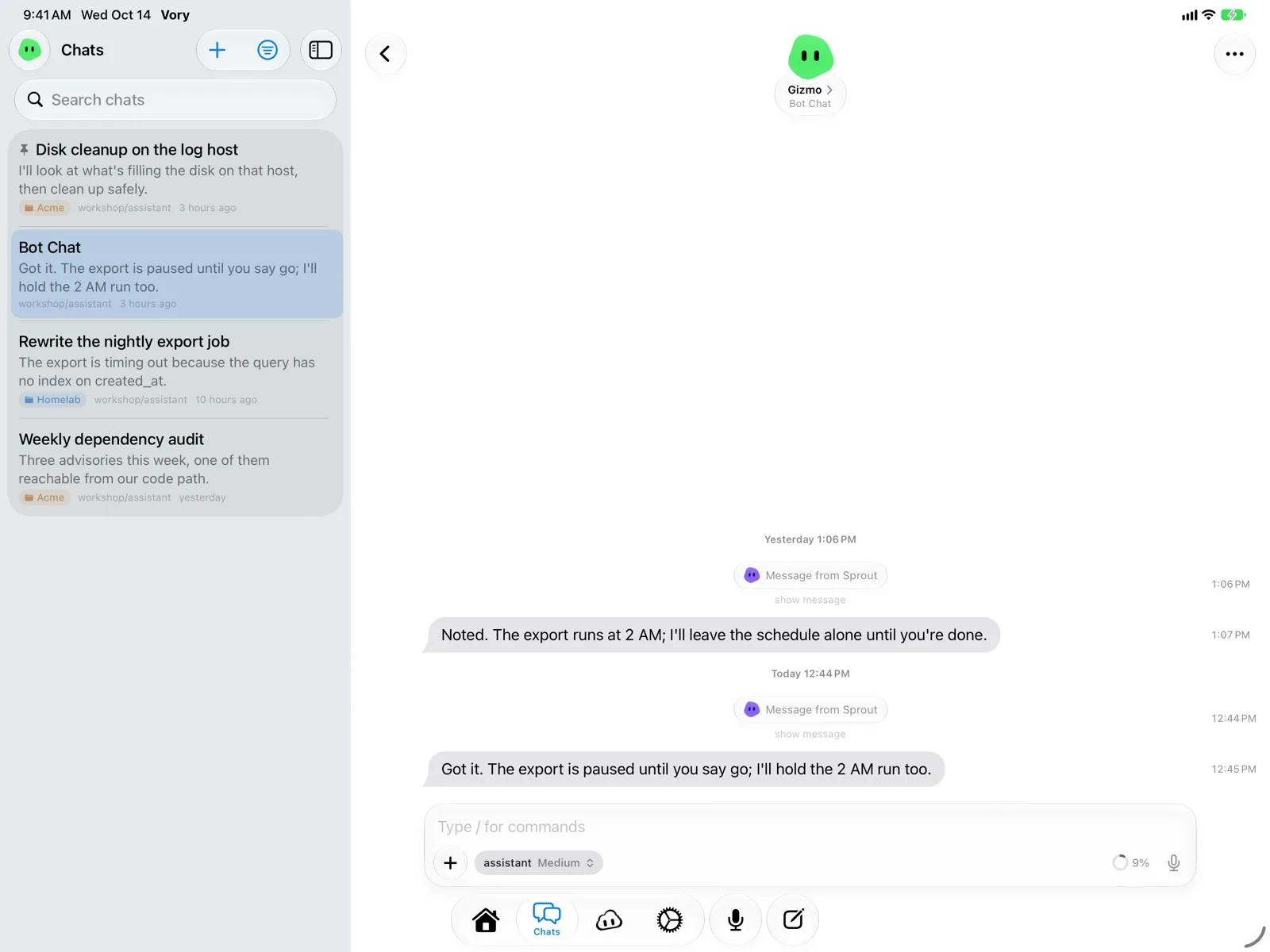
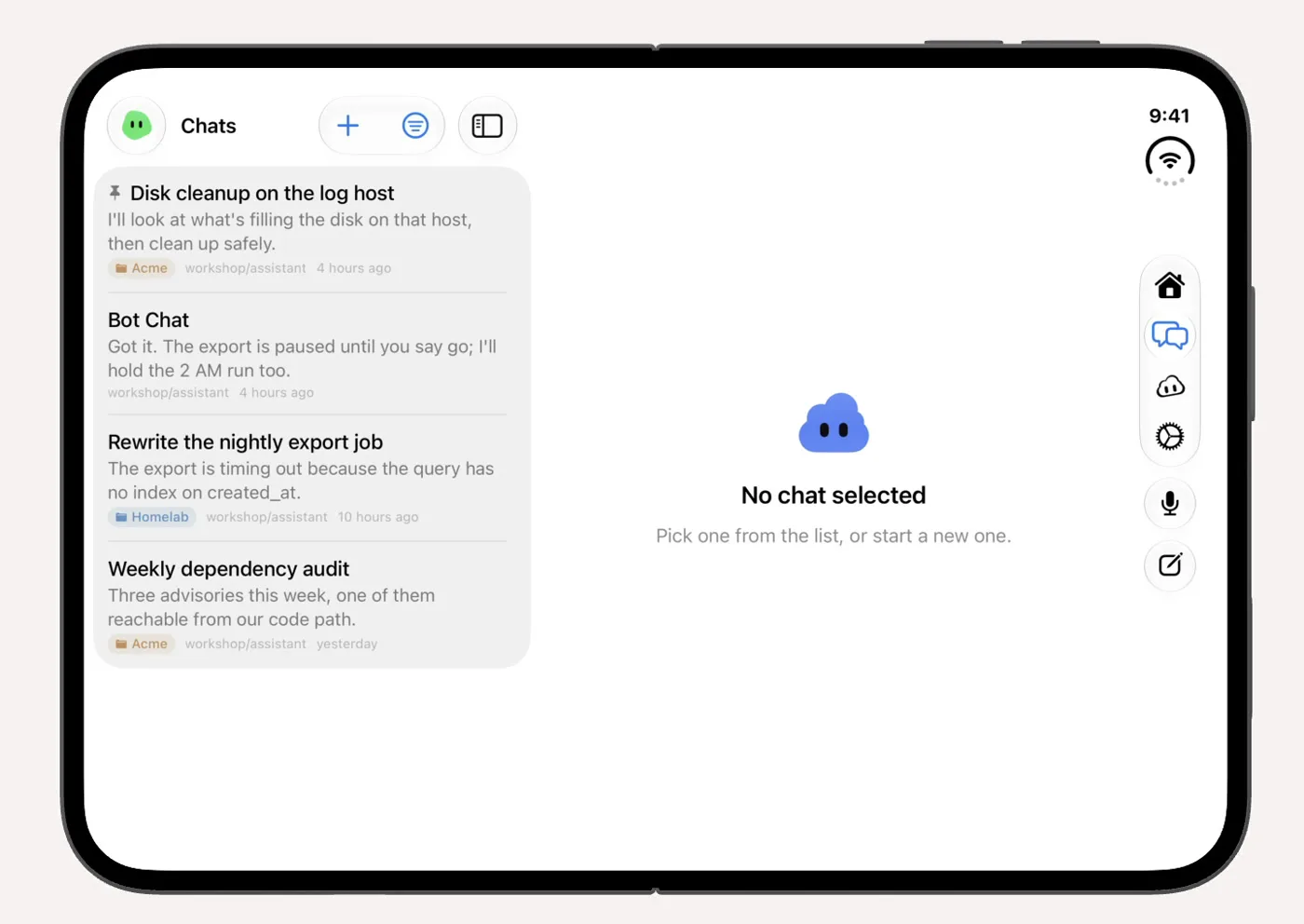
On iPad your chat list sits next to the chat. iPhone Duo works from day one, closed or open. This is first-day support, and there’s more coming for the Duo.
You can give a gateway a backup address, like your Tailscale one, and Vory switches between them for you. Bots can have their own names now too.
What it is
Hermes runs AI agents on a machine you own, each with its own model, tools and memory. Vory connects to it and gives every agent a face, a little bot with eyes and a colour, so you can tell at a glance who you’re talking to.
Your agents stay on your hardware. Vory talks to your gateway directly over your network, Tailscale or a Cloudflare Tunnel.
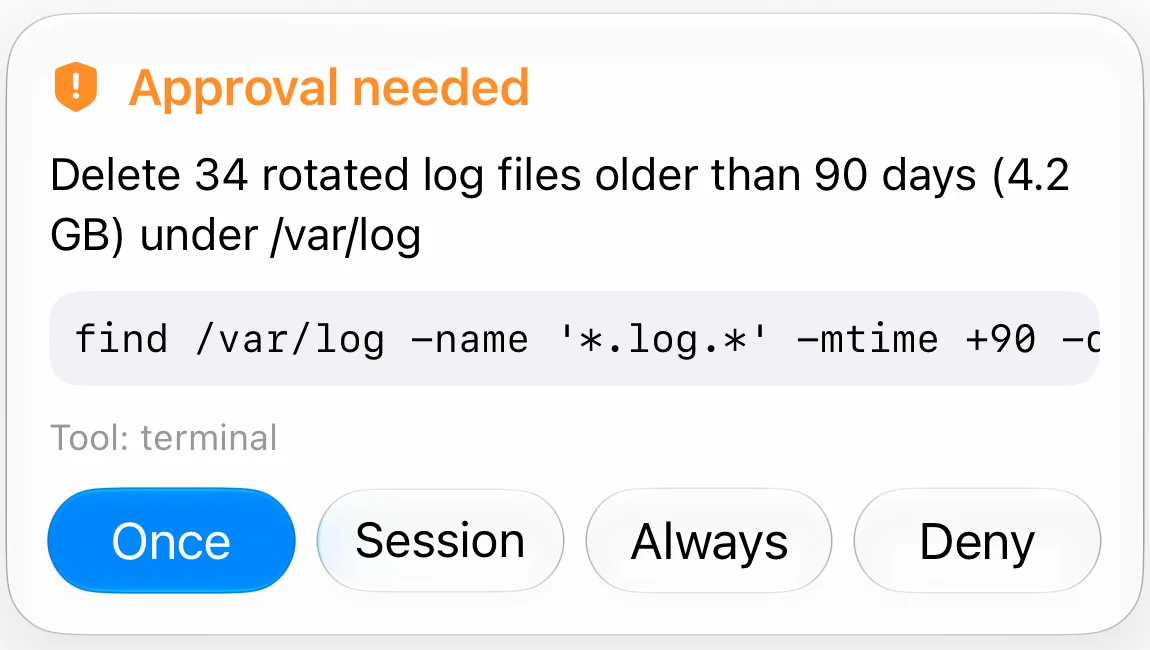
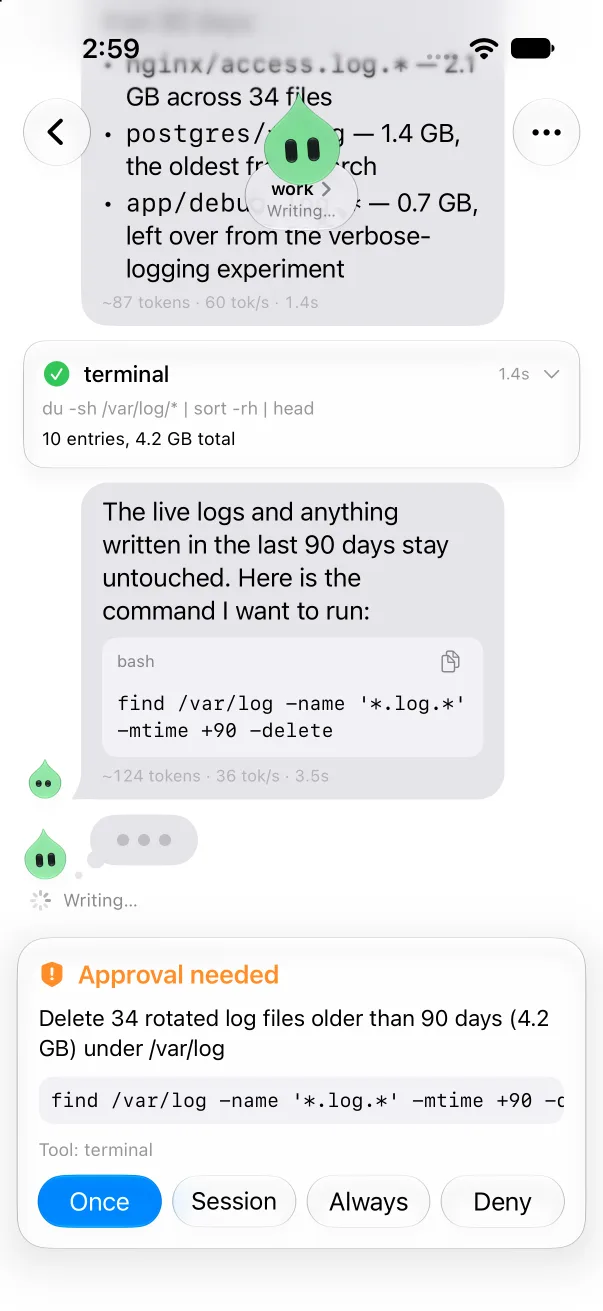
When a bot wants to run a command or change a file, it asks you first. You can answer from the chat or right from the Lock Screen.
Every agent gets its own bot, so you always know who’s talking and what they’re doing.
Vory for Mac
It’s a proper Mac app, with the same bots and chats as your phone. It comes in the same TestFlight beta.
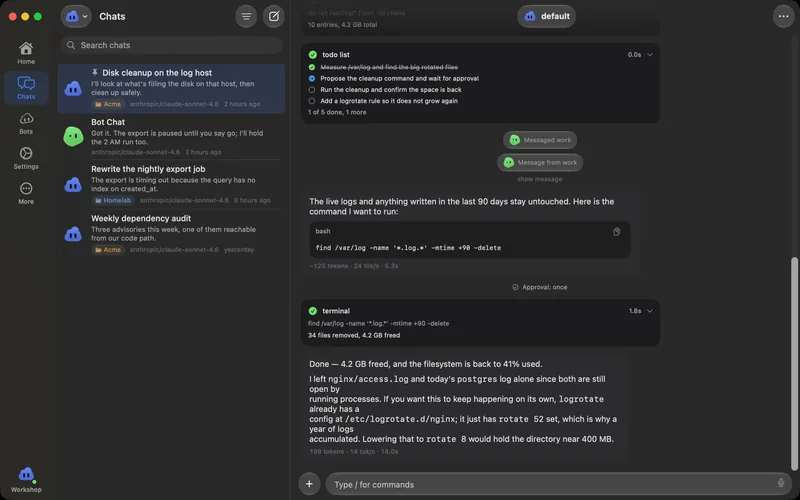
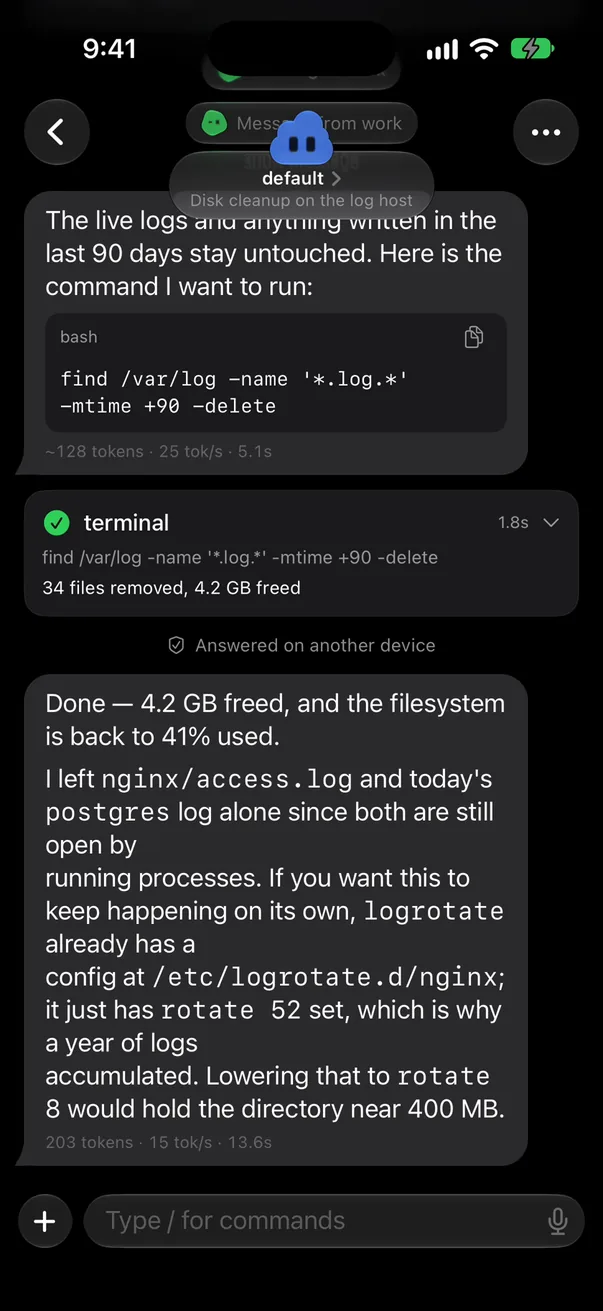
Return sends, Shift-Return adds a line, and you can drop files or paste images straight in. The usual shortcuts work.
Bots that are working and anything waiting for your OK show up in the menu bar, where you can approve or deny it. Close the window and it stays there.
There are desktop widgets, and you can drag files in and out of the Files page. Notifications work the same as on the phone.
iPhone and Mac
Your stuff syncs through your own iCloud. There’s still no Vory account.
Your settings, bot looks and gateways come along through iCloud. On a new device, tap Restore from iCloud on the first screen and you’re back.
Approvals show up on both. Answer on one and it clears on the other.
Group chats by project on both, and Handoff picks up a chat from one device on the other.
How it works
Connect once, then just chat. The bot’s face shows you what it’s doing, and it checks with you before anything risky.
Point Vory at your gateway and sign in with its token. A quick tour walks you through it.
Every agent on your gateway shows up as a bot. You can pick its shape, eyes and colour.
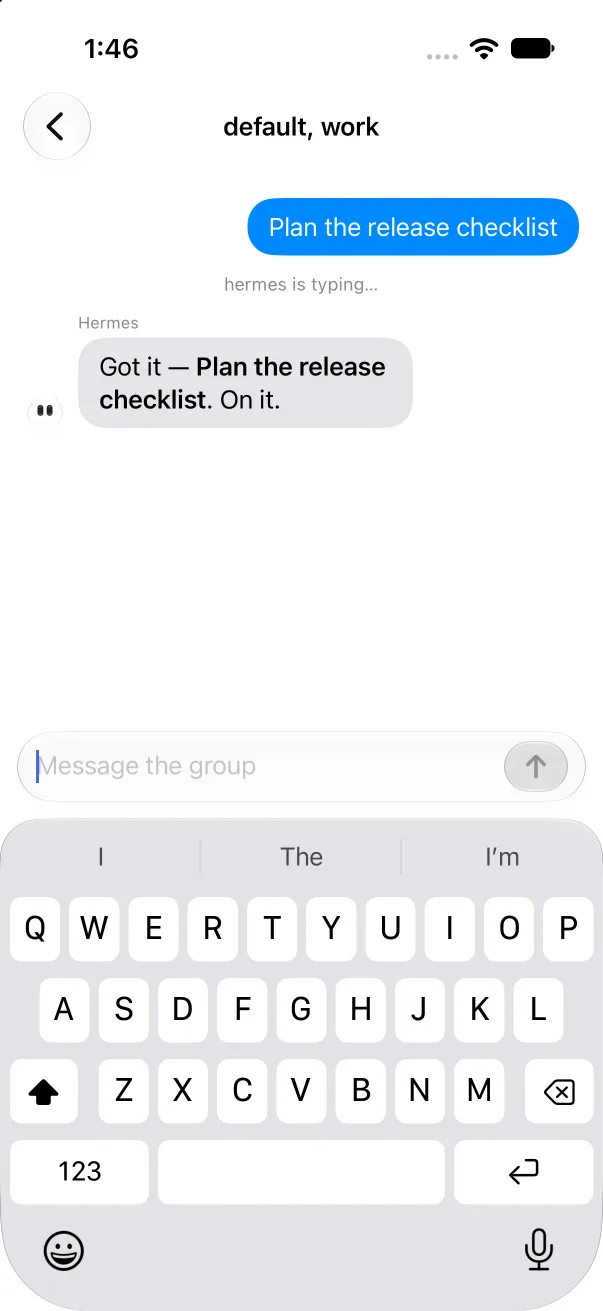
Chats work like Messages. Replies stream in as the bot writes, and you can attach files, use “/” commands or steer it mid-reply.
When a bot needs your OK, you get a card with Approve and Deny, in the chat or on your Lock Screen.
Install the small Vory Companion on your gateway from the app and you’ll get notifications when a bot replies. You can reply right from them.
Put up to six bots in one chat and let them talk to you and each other.
Change models, keys, tools and schedules for each agent right from the app.
Apple Intelligence gives each chat a title and a short summary, made on your device.
Home shows your month at a glance and the chats worth picking back up.
The bots
Every bot is drawn in code, so you can build one right here. This is the same drawing the app uses.
A preview of the bot you are designing.
Body
Eyes
Colour
Finish
What it’s doing
Idle bots barely move. A blink now and then, the odd glance.
A blink every few seconds and a glance now and then. Each bot has its own timing, so they never blink in sync.
Every few seconds a working bot does something small, like a tilt or a glance.
Thinking turns it into a glowing orb. A tool turns it into a toolbox, and writing shows three hopping bubbles. When it needs your OK, it becomes a big “!”. When it finishes, its eyes circle once and settle.
Approvals
When a bot wants to do something risky, the card shows up in the chat and on your Lock Screen. Allow it once, for the session, always, or say no.
Talk
Run the gateway
You can change pretty much any setting for your agents from the app. The Companion installs and updates from there too.
Privacy
Your agents run on your machine, and there’s no account to make.
Connect over your network, Tailscale or a Cloudflare Tunnel. Your sign-in stays in the Keychain.
Summaries are made on your device. This site sets no cookies. Anonymous visit counts only, through Cloudflare Web Analytics.
Public beta
It’s a free public beta on TestFlight. You need an iPhone on iOS 26, an iPad on iPadOS 26 or a Mac on macOS 26 (or later), plus a Hermes gateway you run.
It’s not on the App Store yet. Open the link on the device you want it on.
I post updates on X at @_mattwagner_ and in the Discord.
FAQ
An agent gateway you run yourself. Each agent has its own model, tools and memory. Vory talks to its API.
No. It signs in to your gateway with its token and talks to it directly.
A small plugin you install on your gateway from the app. It’s what sends you notifications and approval cards.
Tailscale or a Cloudflare Tunnel work well, and the app walks you through either. You don’t need to open ports.
The Mac and iPad versions are in the same TestFlight beta. It’s not on the App Store yet. Android is on my list, but I haven’t started it.
Yes, it’s MIT licensed and it’s all on GitHub. If something breaks, tell me through TestFlight, a GitHub issue or the Discord. They all come to me.
On X at @_mattwagner_ and in the Discord. Every build has notes in TestFlight, and the tracker shows what’s open.
On purpose. Only a working bot moves, so they don’t drain your battery. If you turn on Reduce Motion, they hold still.